
User-guideDashboards
Alarm Count Widget
Display alarm counts with customizable filters and styling
The Alarm Count widget displays the total number of alarms based on your filter criteria. It provides a quick overview of system alerts in a compact card format.
Adding an Alarm Count Widget
- Open your dashboard and switch to Edit Mode
- Click Add Widget
- Select Alarm Count from the widget options
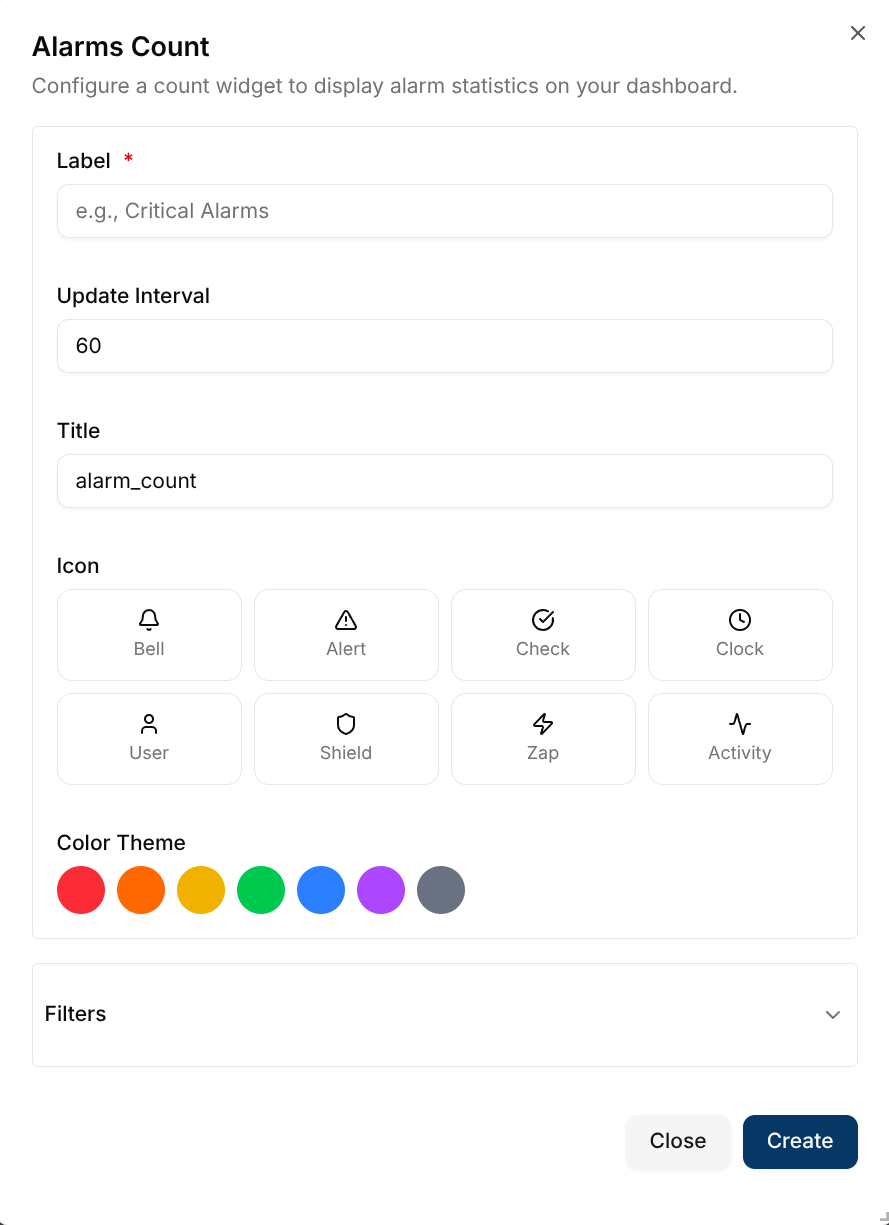
Configuration Options
Basic Settings
- Label: Short descriptive text shown alongside the alarm count (e.g., "Critical Alarms")
- Update Interval: How often the widget refreshes data
- Icon: Visual icon displayed on the left side of the card
- Color Theme: Controls the icon background, icon color, and the color of active filter tags on the card
- Title: Widget title shown at the top
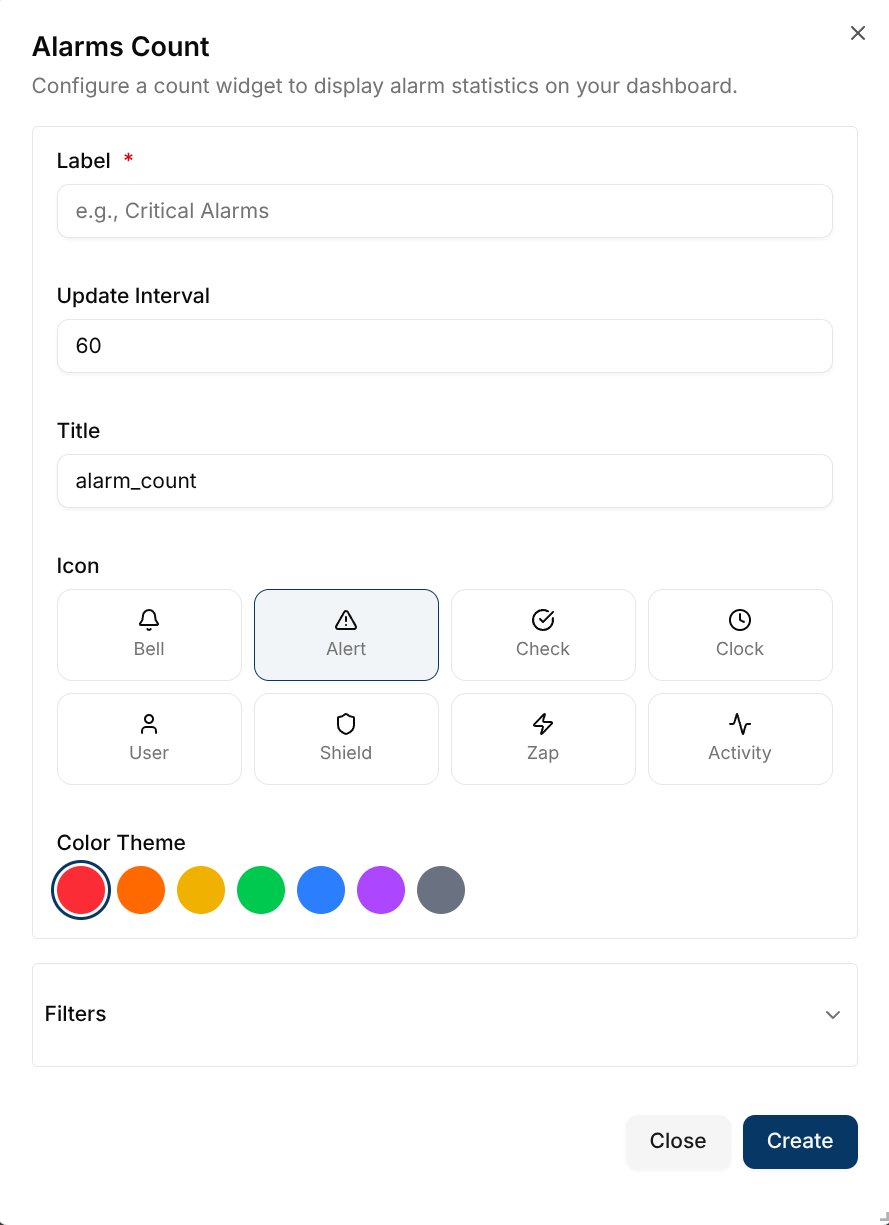
Filters
Use filters to narrow down which alarms to count. All filters are optional:
- Channel: Filter by specific communication channel
- Client: Filter by device or client ID
- Alarm Status:
- Active: Currently triggered alarms
- Cleared: Resolved alarms
- All: Both active and cleared alarms
- Subtopic: Filter by message subtopic
- Severity: Filter by alarm severity level
- Assignee: Filter by person assigned to handle the alarm
- Updated By: Filter by who last modified the alarm
- Assigned By: Filter by who assigned the alarm
- Acknowledged By: Filter by who acknowledged the alarm
- Resolved By: Filter by who resolved the alarm
- Created From: Filter by alarm creation start date
- Created To: Filter by alarm creation end date
Creating the Widget
- Configure your desired settings and filters
- Click Create
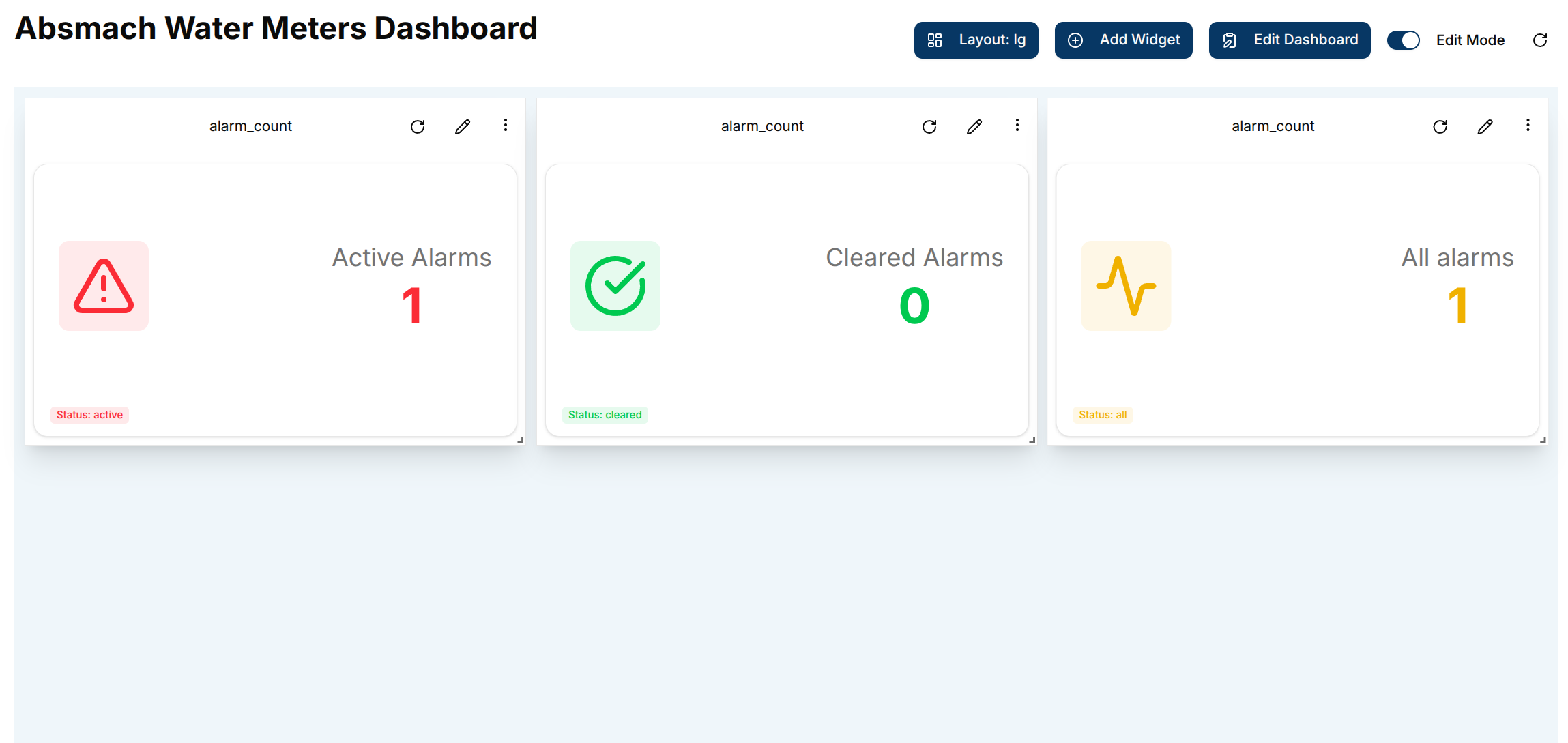
- The alarm count card appears on your dashboard
The card layout shows:
- A large icon on the left with the chosen Color Theme background
- The label and total alarm count on the right
- Any active filters displayed as small colored tags at the bottom of the card, styled in the widget's Color Theme
Editing the Widget
To modify an existing alarm count widget:
- Click the pencil icon on the widget
- Update any configuration options or filters
- Click Save to apply changes
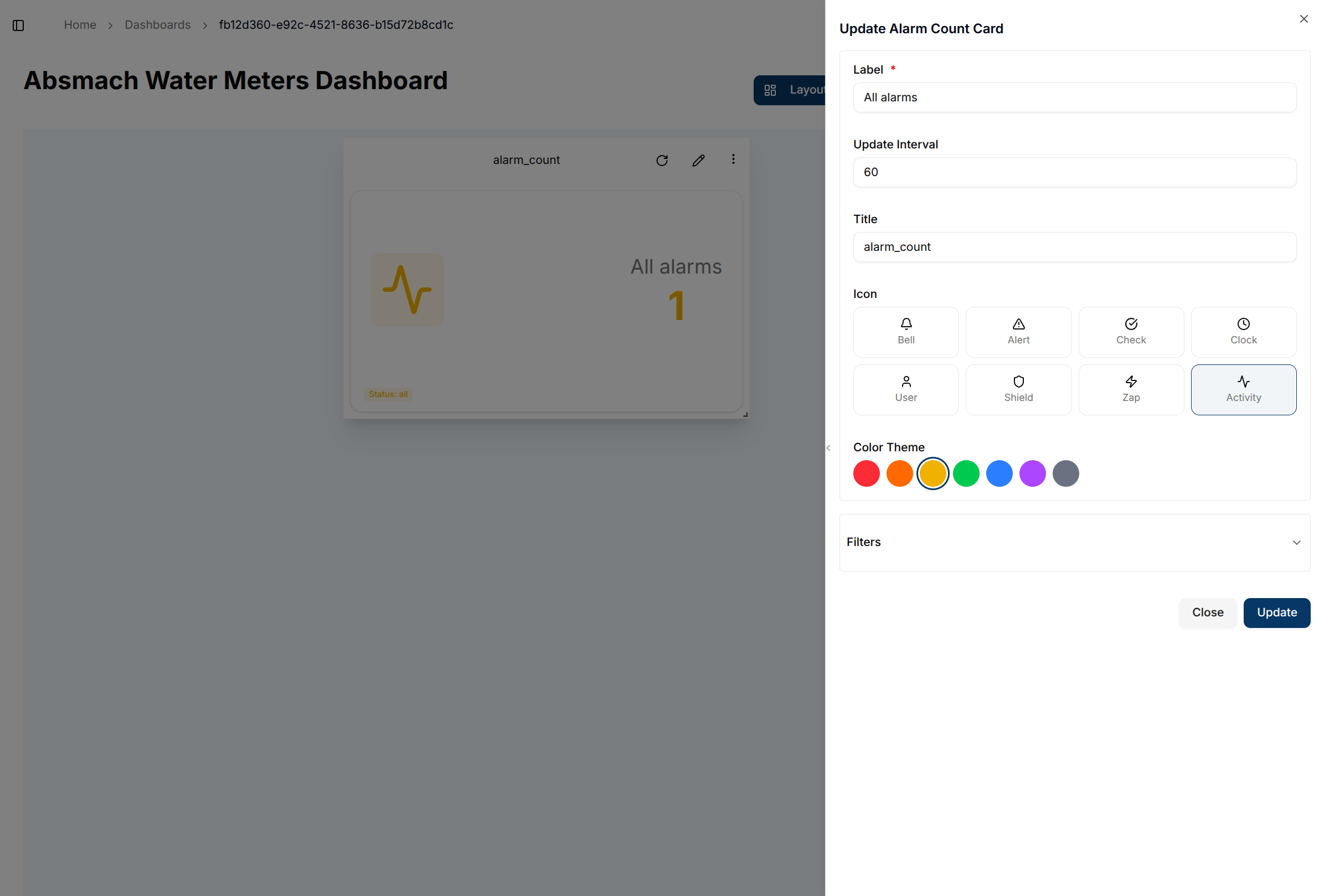
The widget automatically updates to reflect your new settings and displays the current alarm count based on your filter criteria.
Conclusion
The Alarm Count widget provides essential monitoring capabilities for your IoT system. Use multiple widgets with different filters to track various alarm categories simultaneously, enabling proactive system management and quick identification of critical issues.