
Invitations
Learn how to invite users to your Magistrala domain and manage invitation responses including acceptance and decline.
Overview
Domain administrators can invite users to their domain with a specific role. Each role grants the invitee a predefined set of actions they can perform within the domain.
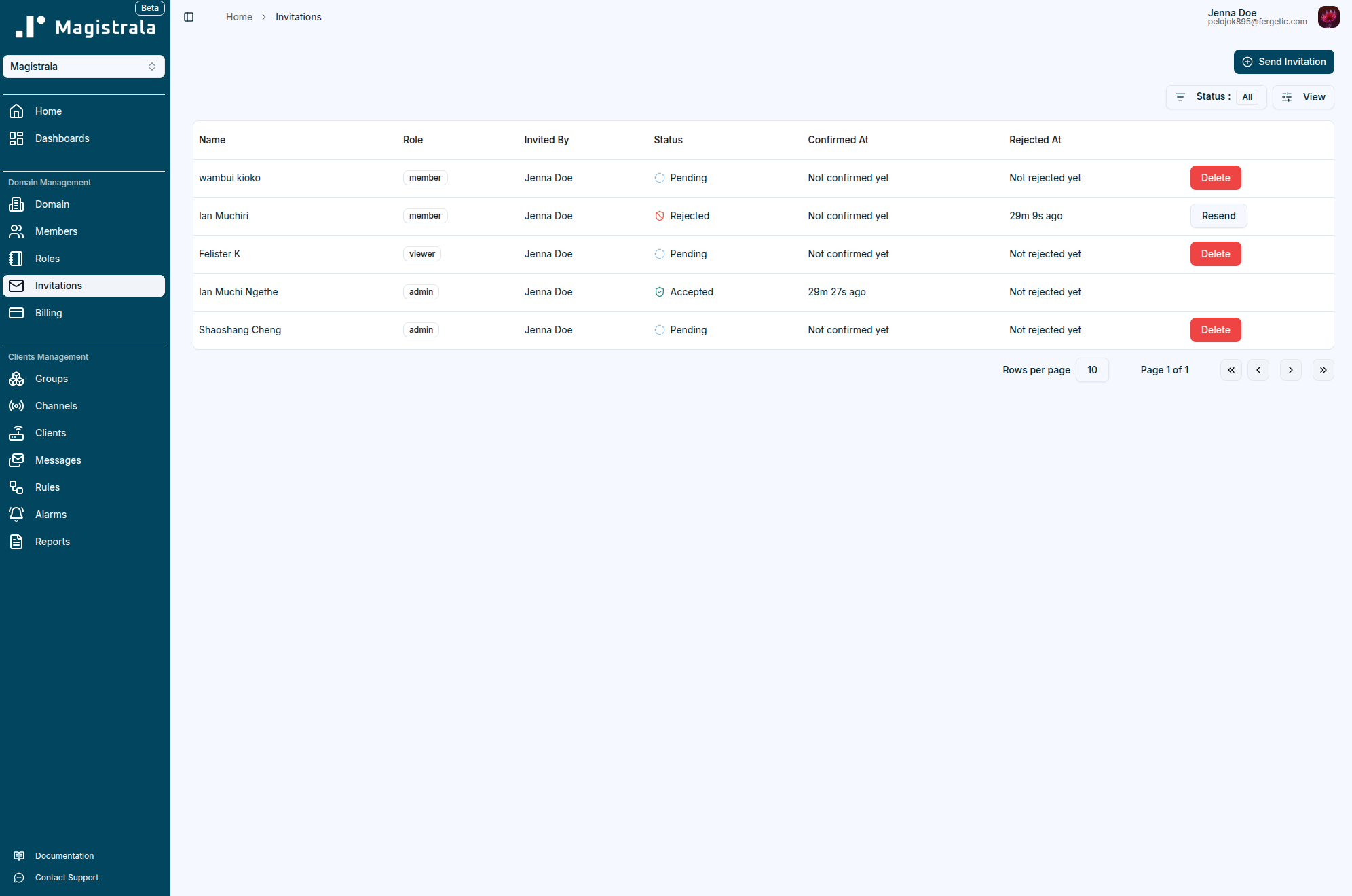
The Invitations tab displays a list of all invitations sent by the user, including their status, role, and timestamps for confirmation or rejection.
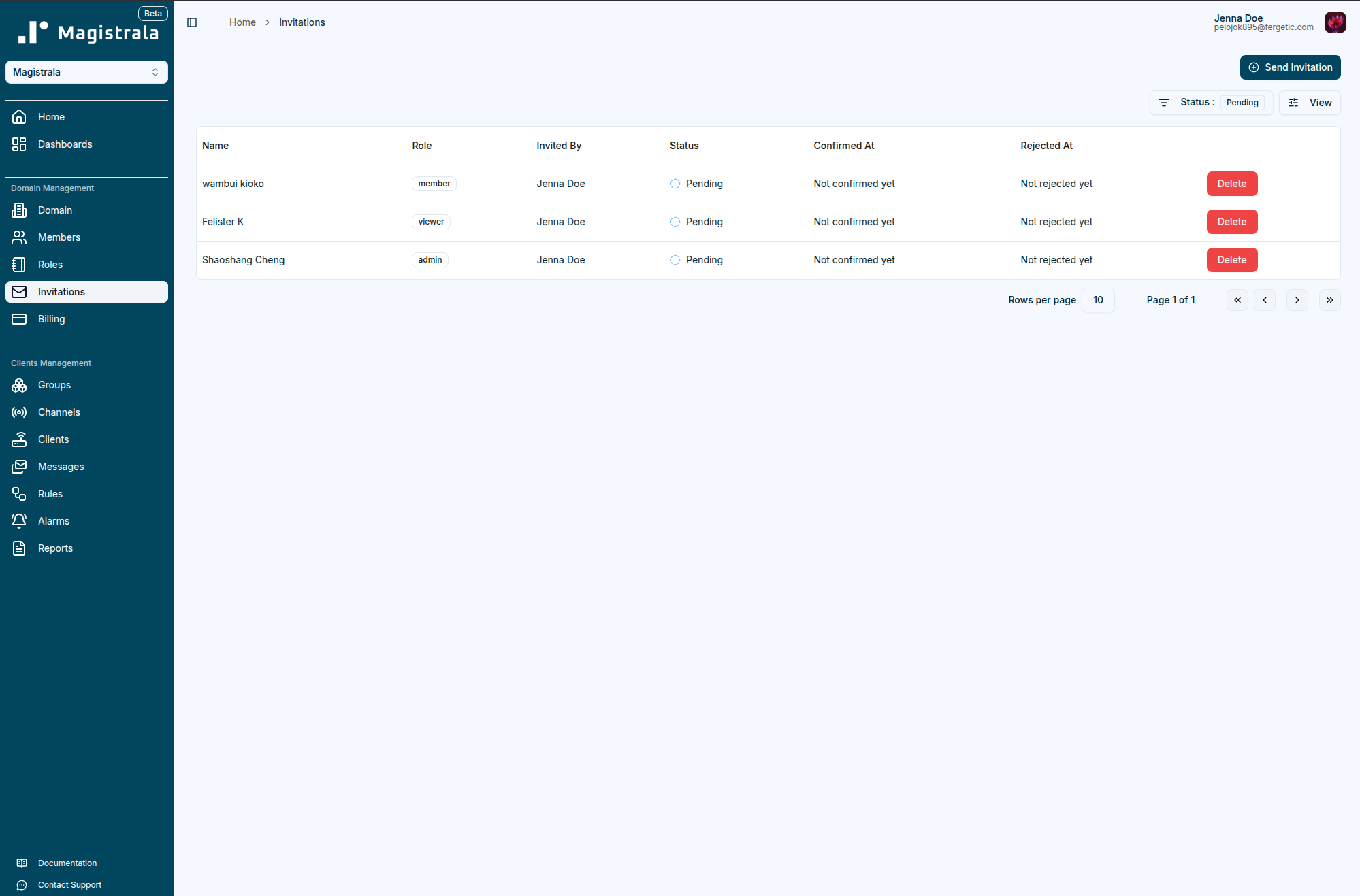
The Status column shows the current state of each invitation:
| Status | Description |
|---|---|
| Pending | Invitation sent, awaiting recipient's response. |
| Accepted | Invitation accepted — the user has joined the domain. |
| Rejected | Invitation declined by the recipient. |
Send Invitation
To invite users to a domain, the administrator can click the Send Invitation button and select multiple users along with their assigned role.
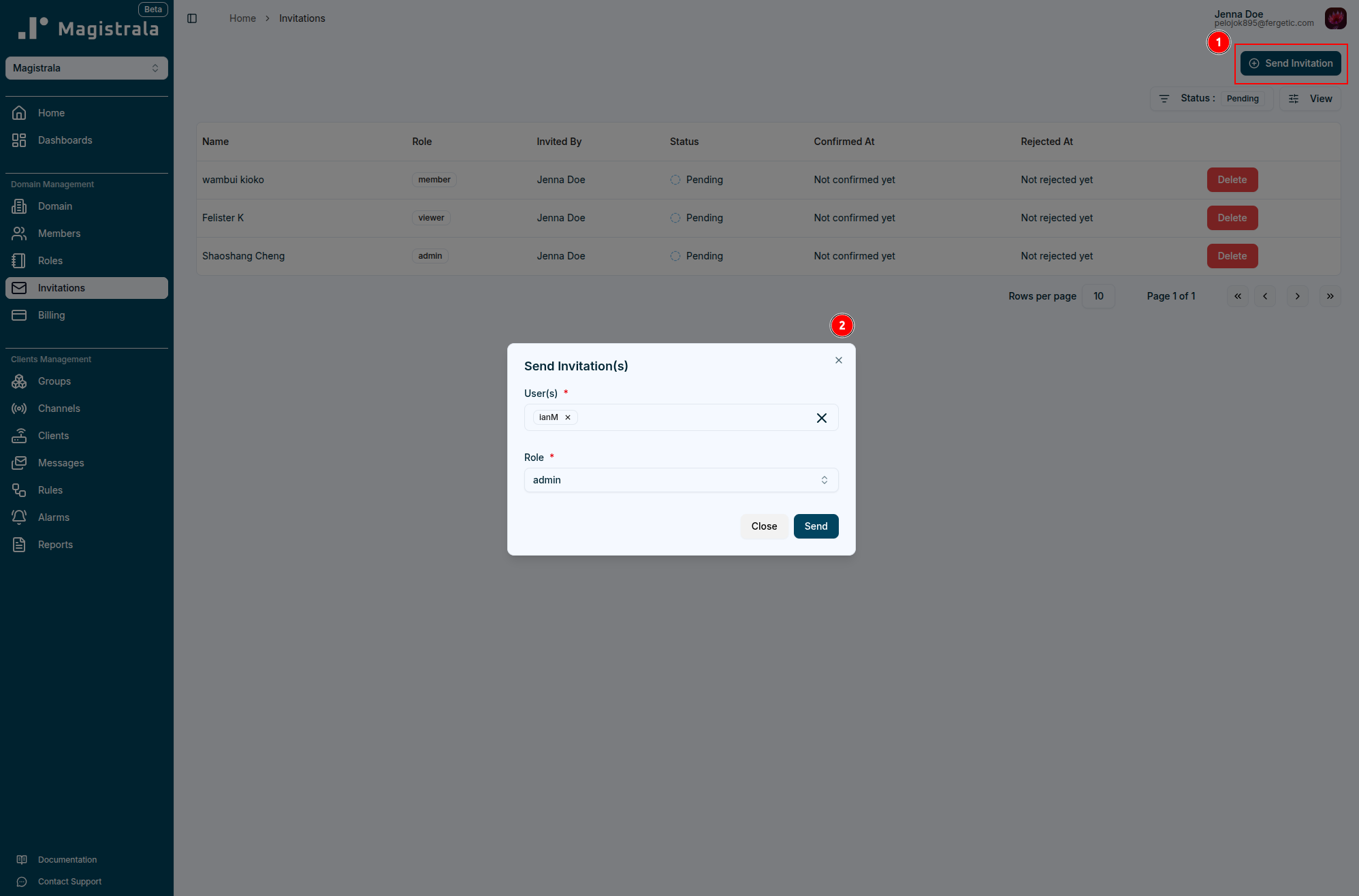
Once sent, the recipients will be notified the next time they log in and can accept or decline the invitation.
Accept or Decline an Invitation
After logging in, the recipient will see a pop-up notification on the Domains page displaying all pending invitations.
The user has the option to accept or decline the invitation directly from this pop-up. A maximum of five invitations will be displayed at a time, refreshing each time an invitation is accepted or declined.
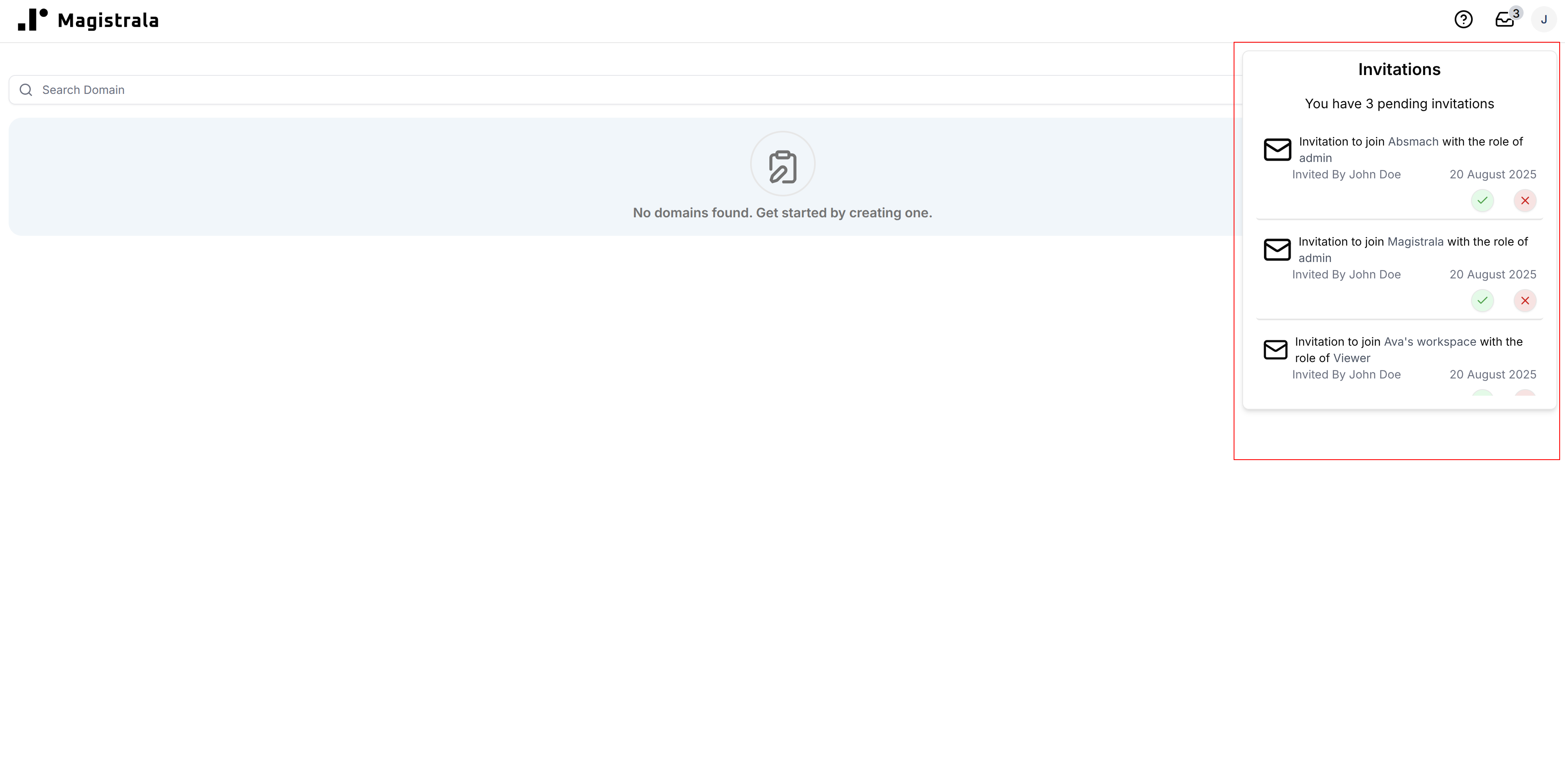
If there are more than five pending invitations, the user can click View All to navigate to the Invitations Table, where all pending invitations are listed.
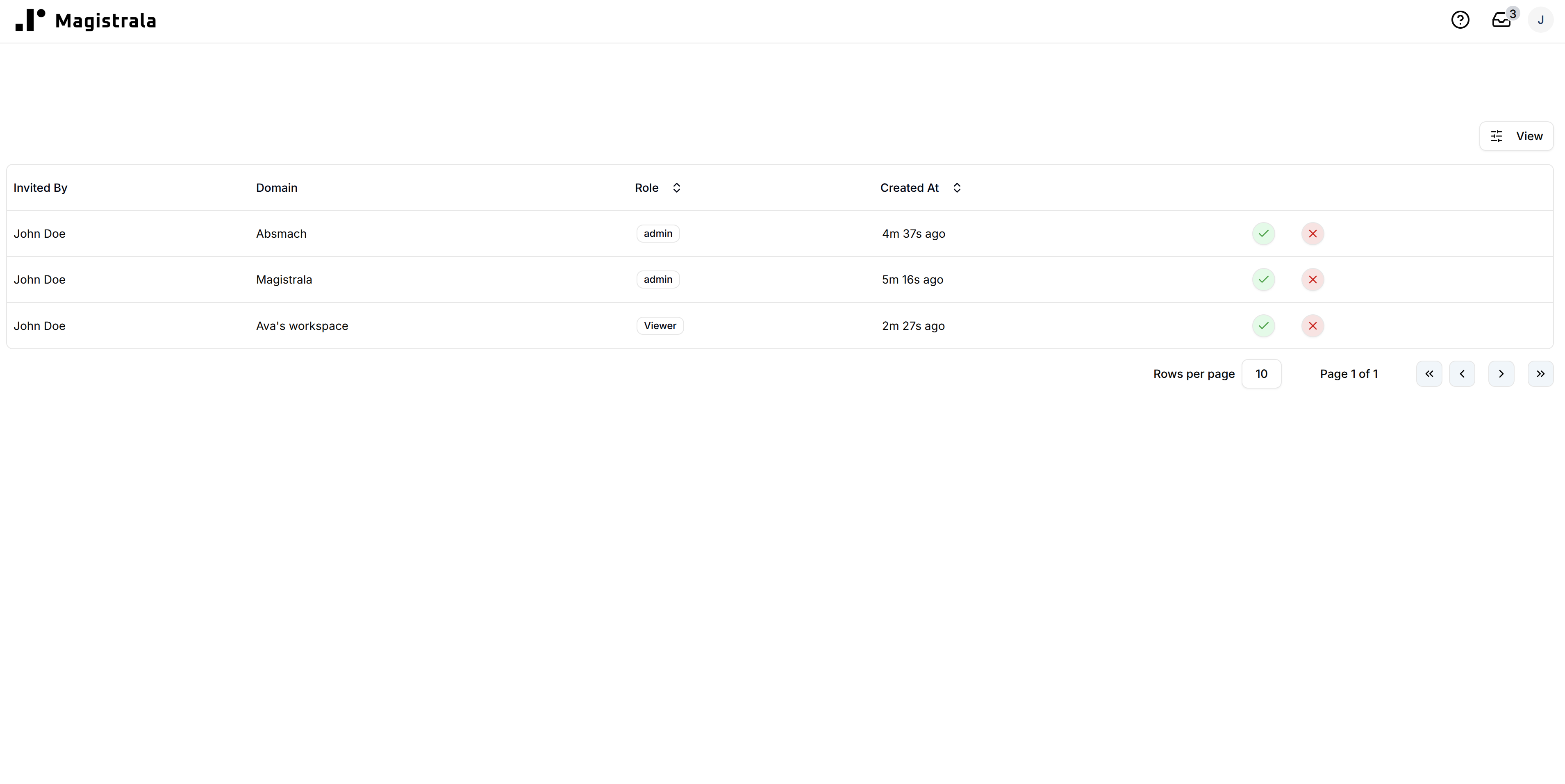
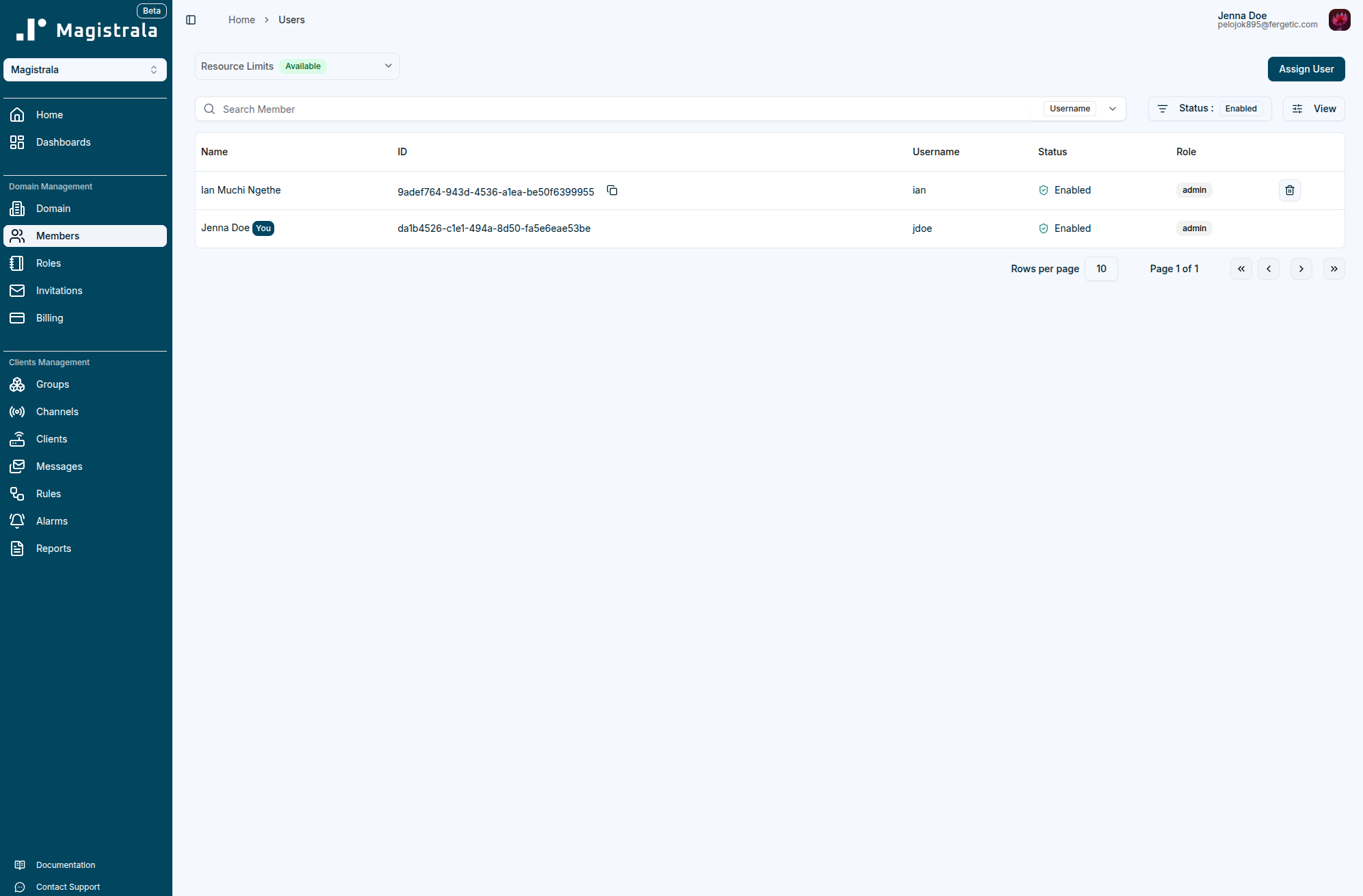
Once the Invitation is accepted, the user will be able to log into the domain. Their details will be added to the Members Table within the domain, reflecting the assigned role.
Resend and Delete Invitations
The Invitations Table also includes management options depending on the invitation’s status:
| Action | Availability | Description |
|---|---|---|
| Resend | Available for Rejected invitations | Allows the administrator to resend an invitation to users who previously declined. |
| Delete | Available only for Pending invitations | Removes a pending invitation that has not yet been accepted or rejected. |
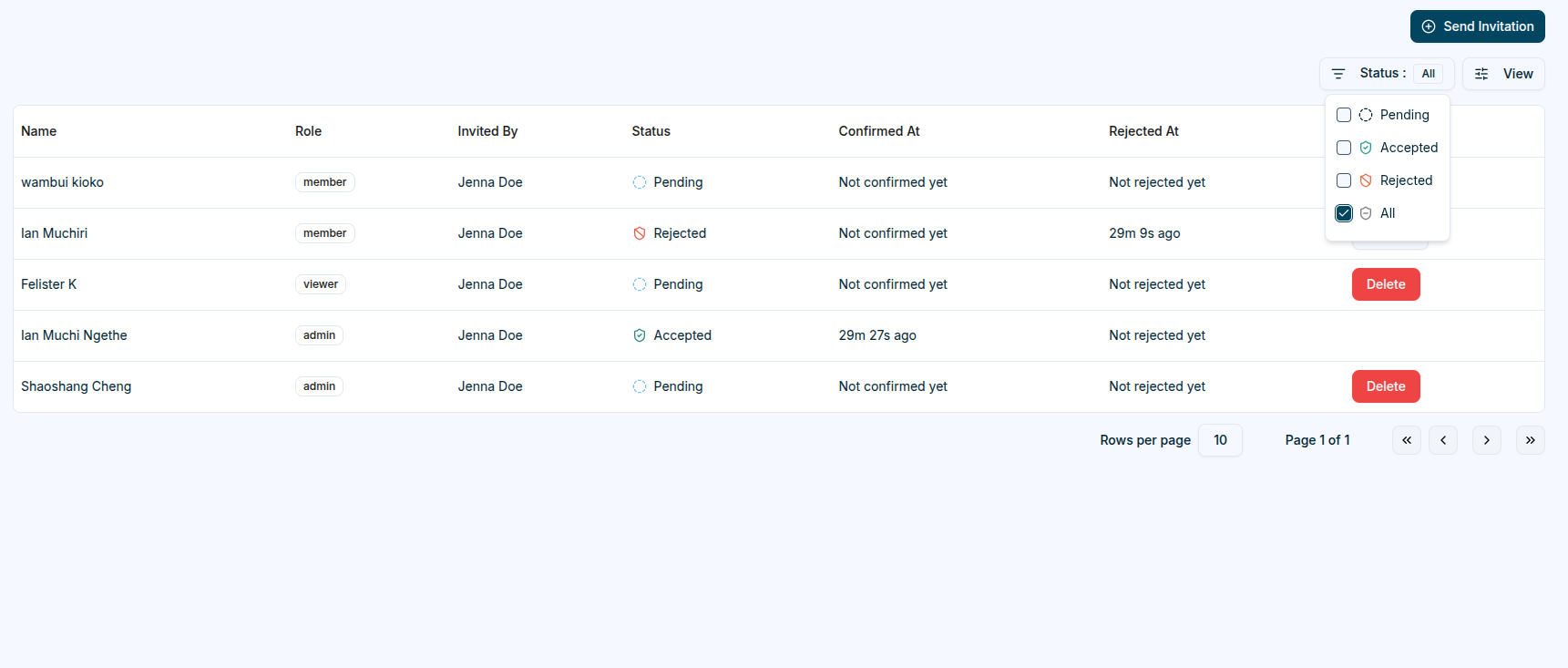
This ensures only relevant invitations remain editable, while accepted and rejected ones are preserved for tracking and auditing purposes.